
Bamboo MCP: Find Products, Plan Loads and Prepare an Inquiry
Bamboo MCP lets you search HTR Bamboo’s product references from a compatible AI assistant. You can compare products, estimate a bamboo panel load and prepare an inquiry, then review and submit it on HTR Bamboo’s website.
Installation · Official Registry · Product search demo · Loading demo · Inquiry review
The examples below use public HTR product records and a synthetic requirement for 300 bamboo panels. No customer details were entered, and no inquiry was submitted.
Connect Bamboo MCP to your assistant
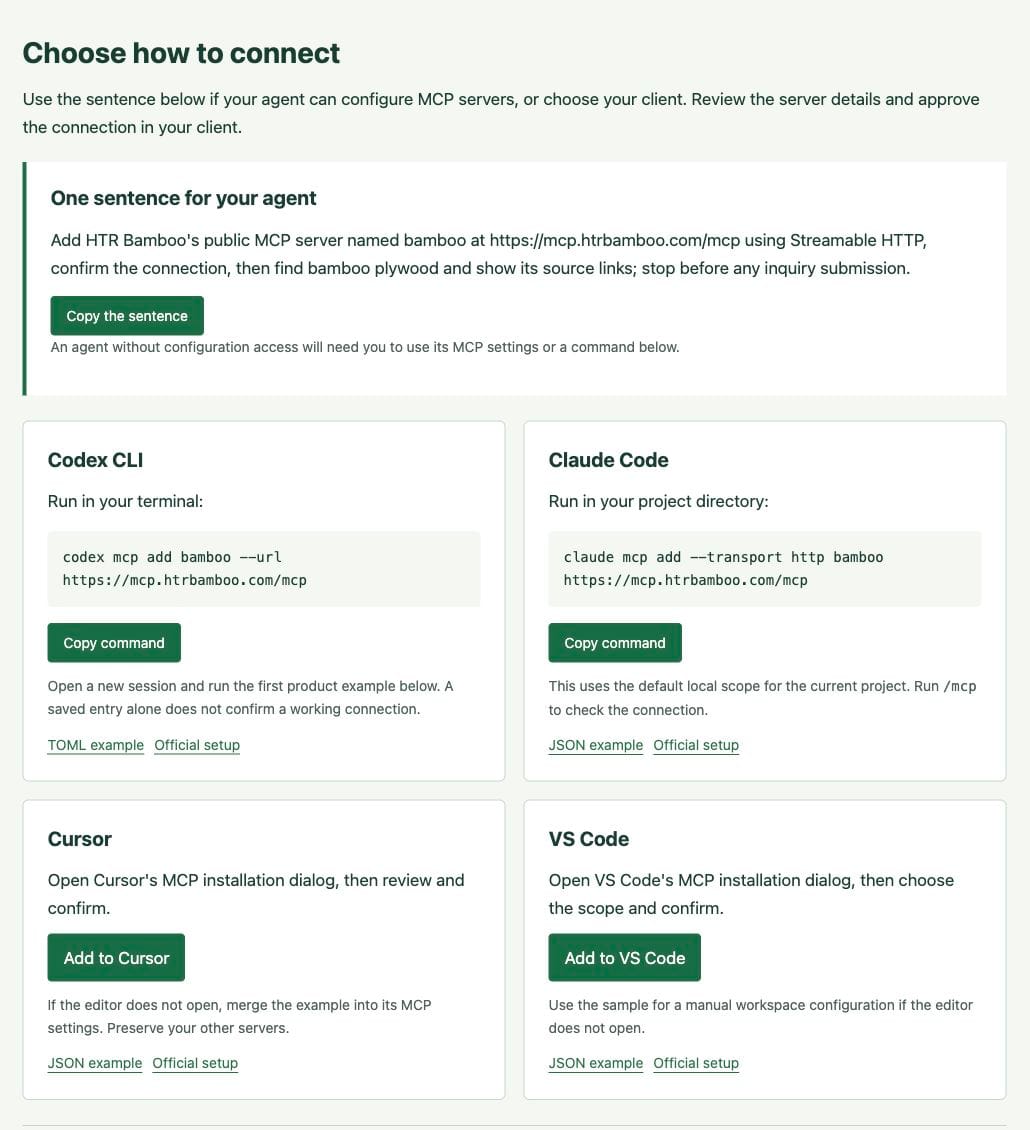
Bamboo MCP runs as a hosted service. Add its address to your client’s MCP settings; there is no HTR server package to download.
Use one sentence
If your agent can manage MCP connections, copy this request:
Add HTR Bamboo's public MCP server named bamboo at https://mcp.htrbamboo.com/mcp using Streamable HTTP, confirm the connection, then find bamboo plywood and show its source links; stop before any inquiry submission.Review the address and approve the connection in your client. If the agent cannot change its own settings, use one of the options below.
Codex CLI
codex mcp add bamboo --url https://mcp.htrbamboo.com/mcpOpen a new session and ask for a product search. You can inspect the saved entry with codex mcp get bamboo.
Claude Code
claude mcp add --transport http bamboo https://mcp.htrbamboo.com/mcpRun this in your project directory. It uses Claude Code’s default local scope for that project. Check the connection with /mcp.
Cursor and VS Code
Open the Bamboo MCP installation page, choose your editor, and review the connection in its installation dialog. Manual configuration examples are also available for Cursor and VS Code. Merge the relevant entry into your settings while keeping your other servers.
Other MCP clients
Add a remote connection with these settings:
- Connection name:
bamboo - Transport: Streamable HTTP
- Authentication: None for HTR’s public tools
https://mcp.htrbamboo.com/mcpYour assistant may have its own account, plan or organization requirements for MCP connections.
Find the official Registry record
Bamboo MCP is listed in the official MCP Registry as com.htrbamboo/bamboo-mcp. The linked record contains the connection metadata for version 0.2.1, published on 1 November 2026, including the public HTTPS endpoint.
The Registry record helps you check the server’s name and address. Your client still needs to support remote MCP connections and obtain your approval to add one.
Check the connection with a product search
Ask your assistant:
Use Bamboo MCP to find bamboo plywood products. Show the HTR source pages and tell me which specifications still need confirmation.
Look for a tool result with product references and source links. Saving the address in settings is only the setup step. If a query fails, check the exact /mcp URL, transport and client connection status.
Clients with MCP prompt menus can also use start_product_inquiry. Give it a requirement such as “bamboo plywood for cabinet shelving” and let it ask for missing details.
Setup checked 1 November 2026. Client references: Codex, Claude Code, Cursor and VS Code.
Find a product and check its source
For the recorded demonstration, we searched for bamboo plywood within the panels and surfaces category. The response reported 20 matches and showed the first three: 3-layer, 4-layer and 5-layer bamboo plywood references.
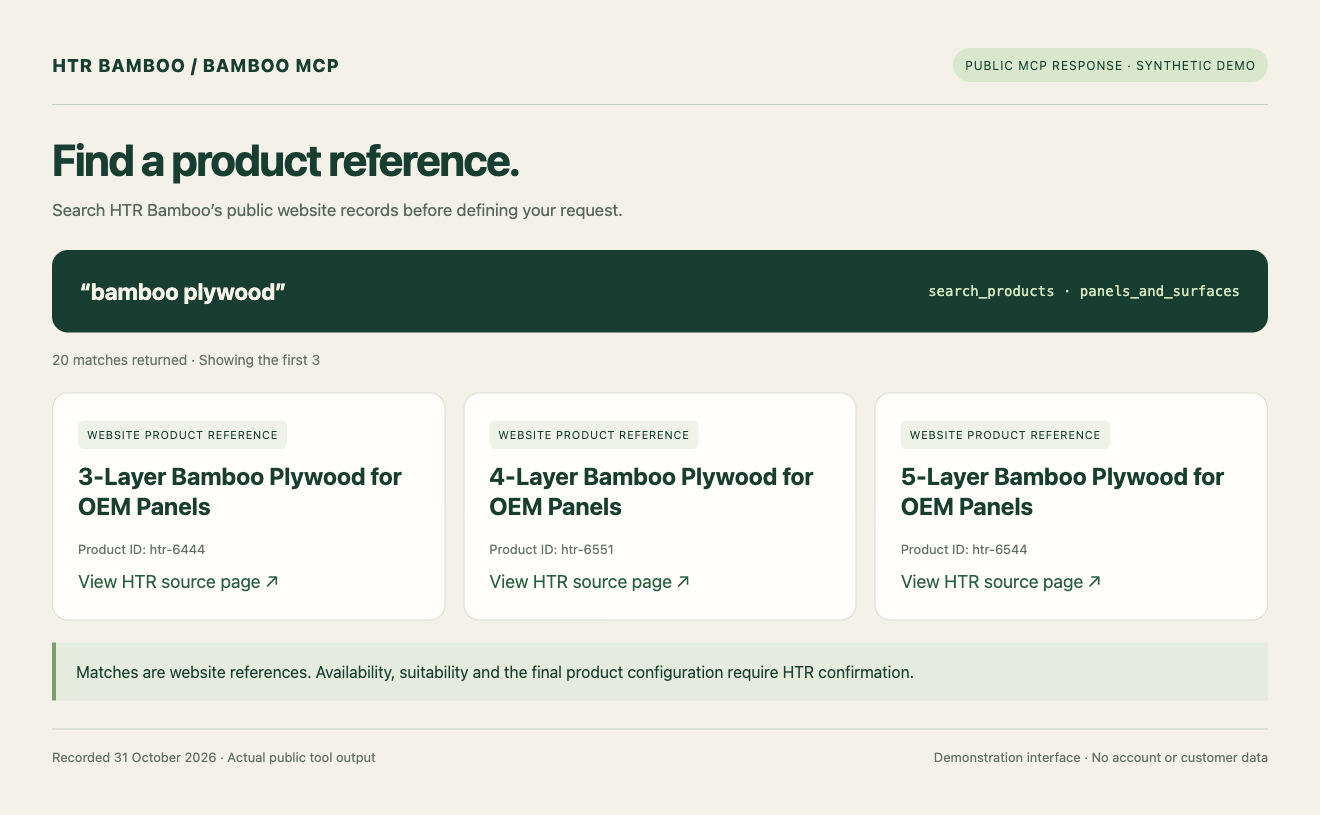
Each result links to its HTR product page. Open the 3-layer bamboo plywood reference, for example, and check the specification context before using it in a request. The layer count narrows the search. A quotation still needs the intended use, dimensions, finish and any machining or document requirements.
Product results come from reviewed website snapshots. HTR needs to confirm current availability and the configuration suitable for your request.
Estimate pallet and container use
For a panel shipment, give the assistant the sheet dimensions and quantity. Check the density, pallet size, packing weight, stacking allowance and handling limits used by the tool. The same type of planning is available in the website’s Bamboo Plywood Container Calculator.
Our synthetic run used 300 laminated panels measuring 2440 × 1220 × 18 mm, an assumed density of 700 kg/m³, a 20ft GP container and the stacked-plan option. The density was an input to the demonstration, not a measurement of the selected product.
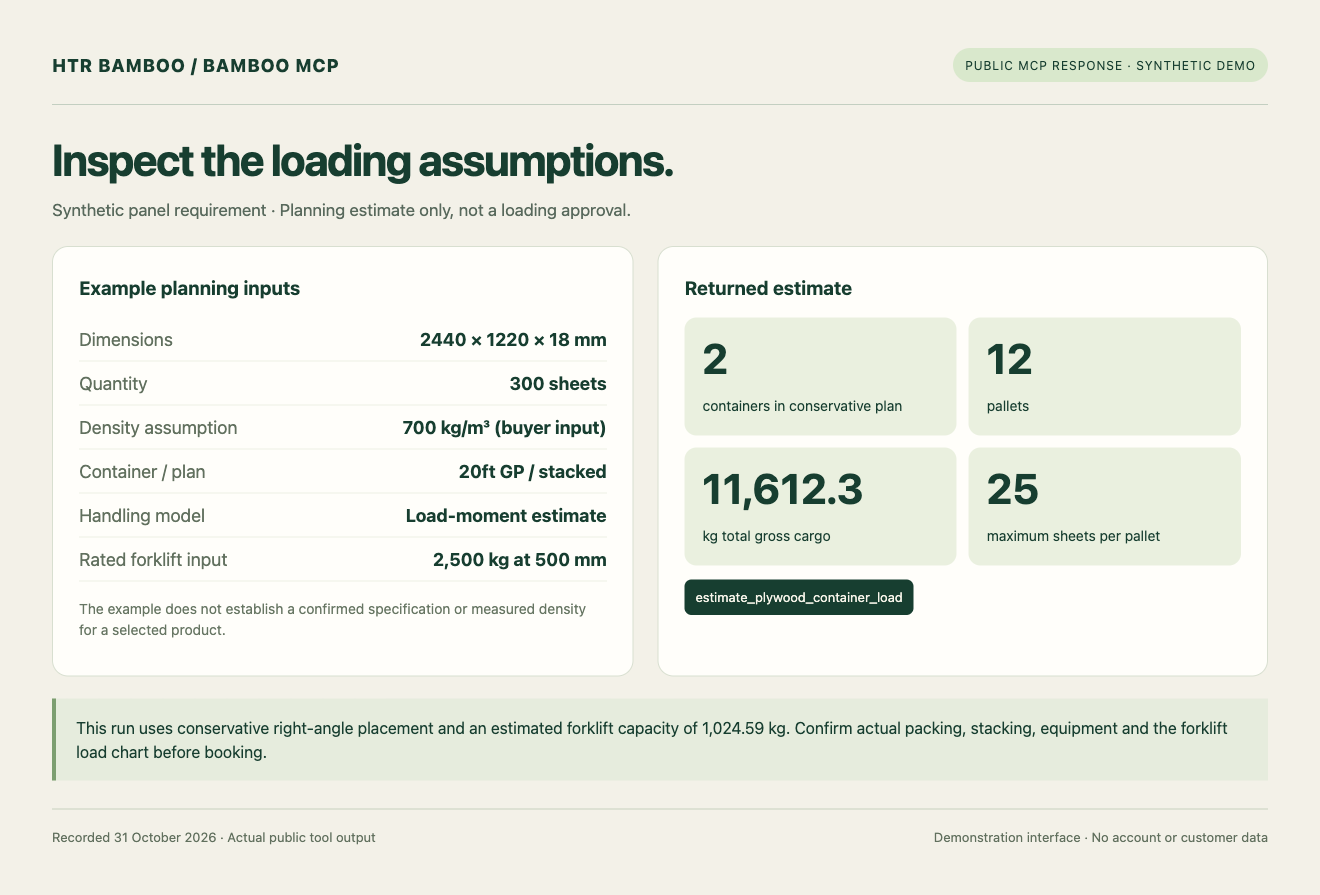
The result was 12 pallets across two containers, with about 11,612 kg of gross cargo in total. The run used a forklift load-moment estimate that capped each pallet at 25 sheets, together with conservative right-angle placement.
Treat the output as a planning estimate. Confirm package dimensions, pallet strength, stacking, load distribution, securing and the forklift load chart with HTR and the forwarder. The final loading arrangement and freight quotation follow that review.
Prepare an inquiry and review it before sending
Once you have a relevant product reference, ask the assistant to prepare a draft with your specifications, quantity, destination and open questions. For panels, include the intended use, construction, dimensions, grain or colour, finish and any tolerance or machining requirements you already know.
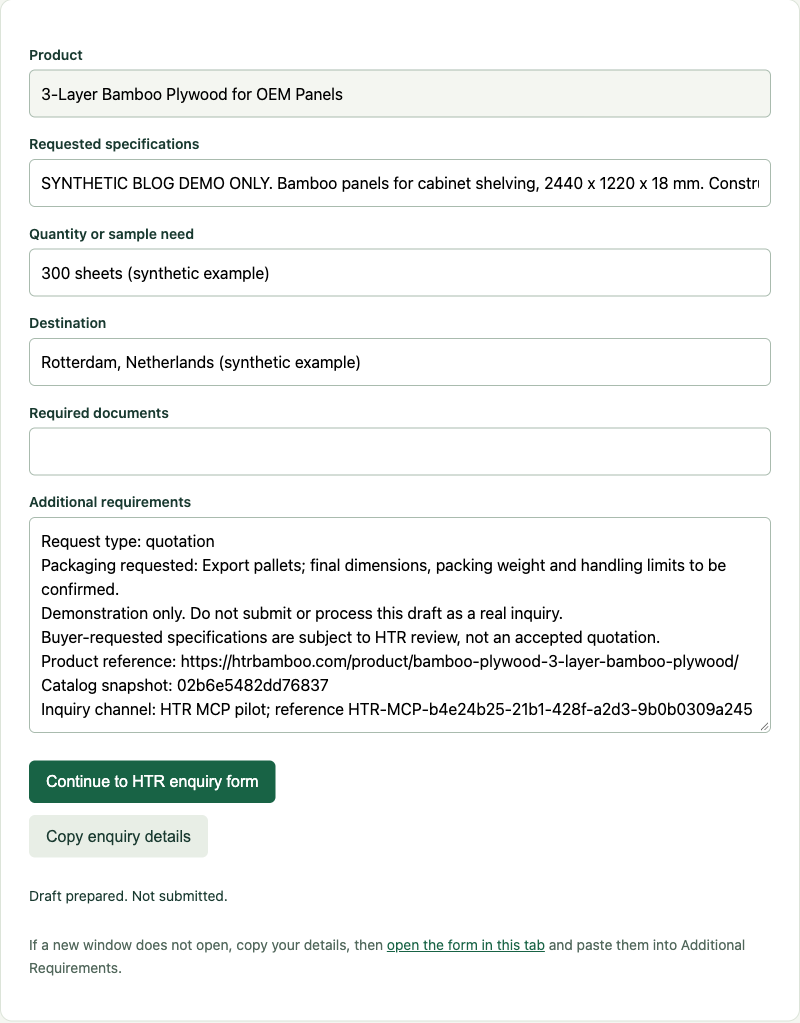
Read and edit the draft, then continue to HTR’s official form. Enter your contact details there and submit when the request is ready.
The prepare_inquiry tool creates a draft and review link. It does not submit the inquiry, send email, store the draft or create a CRM record. A draft reference alone does not mean HTR has received the request.
Give HTR enough detail to quote
A useful inquiry usually includes:
- The product reference or intended application.
- Dimensions, construction, finish and any drawing revision or acceptance criteria.
- Quantity, destination country or port, and the trade terms you want quoted.
- Packaging, labels, branding or other customization.
- Required test reports or certification documents, with the destination market and product scope.
Keep the product source links with the brief. HTR can then review manufacturing feasibility and confirm the specification, price, MOQ, sample terms, lead time, payment terms and freight scope. Ask which documents apply to the quoted configuration.
Frequently asked questions
Try it with a product you need
Open the Bamboo MCP installation page and run a product search. Keep the source links and any missing specifications with your inquiry.
If you already have a brief, use HTR Bamboo’s inquiry form to send the product or application, specifications, quantity, destination and required documents.
Share This Story, Choose Your Platform!
About the Author: HTR Bamboo Editorial Team

On this page
Need bamboo specifications?
Latest Posts
Copyright 2020 – 2030 HTR Bamboo
All Rights Reserved!

 English
  German
  Spanish
  Vietnamese